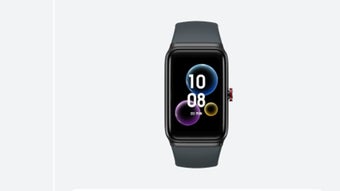



Download Wear Sync – Health and Fitness Tracking, Sleep Monitoring, Heart Rate Tracker, Blood Pressure Monitor, Wellness App
Overview
Wear Sync is a free lifestyle application designed to support users in tracking and achieving their health and fitness goals. The software functions as a centralized hub for wellness data, collecting and analyzing information from wearable devices and smart technology. It focuses on key health metrics such as daily steps, distance traveled, calories burned, sleep duration, heart rate, and blood pressure. By consolidating these metrics into a unified view, Wear Sync enables users to gain deeper insights into their physical activity and overall well-being.
The app is tailored for individuals committed to improving their lifestyle through consistent self-monitoring. It serves as a digital health ally, offering timely feedback and alerts when physiological thresholds—such as elevated heart rate or blood pressure—are exceeded. This feature may help users identify early warning signs of conditions like hypertension or cardiovascular strain, promoting proactive health management.
Wear Sync operates by syncing data across paired devices via Bluetooth. Users must install the app on both their smartphone and wearable device, then establish a connection to begin data collection. While the app supports a range of health parameters, it is not compatible with all wearable brands. The developer did not provide additional details about supported hardware beyond this limitation.
Key Features & Capabilities
- Multi-Metric Health Tracking: Monitors daily steps, distance, calories burned, sleep duration, heart rate, and blood pressure over time.
- Real-Time Alerts: Sends notifications when heart rate or blood pressure exceeds predefined thresholds, aiding in early detection of potential health concerns.
- Device Synchronization: Automatically or manually syncs data between wearable devices and smartphones using Bluetooth.
- Personalized Wellness Insights: Offers feedback based on collected data to help users adjust their routines for better performance and recovery.
- Offline Data Collection: Continues to record activity even when not connected to a smartphone, ensuring no data loss during sync intervals.
These capabilities support a holistic approach to health management. For example, users can analyze sleep patterns in relation to physical exertion and stress levels to optimize recovery. The heart rate and blood pressure tracking may assist individuals managing chronic conditions or aiming to improve cardiovascular fitness. The app’s design emphasizes usability, allowing users to access insights without requiring medical expertise.
User Interface, Workflow & Performance
The user interface of Wear Sync appears to be structured around a clean, intuitive dashboard that displays key health metrics at a glance. Navigation is likely streamlined to prioritize essential functions such as data viewing, settings, and device pairing. The workflow begins with device pairing via Bluetooth, followed by data synchronization and access to historical trends.
Based on general software behavior patterns, the app is expected to operate efficiently within standard mobile operating system environments. However, exact performance details were not specified. The developer did not provide information on CPU or RAM usage, so users should monitor resource consumption during extended use. Stability may vary depending on device compatibility and connection reliability.
Performance observations are based on general software behavior patterns. The app is designed to run in the background to maintain continuous tracking, which could impact battery life on some devices. Users are advised to test the application in their specific environment to assess responsiveness and reliability.
Compatibility & System Requirements
Wear Sync is available for download on both Android and iOS devices. The software is designed to work with compatible wearable gadgets, though the developer did not specify which models are supported. Compatibility information was partially provided, indicating that the app is not compatible with all smartwatch and wearable brands.
Exact system requirements were not listed. Users should ensure their smartphone meets the minimum OS version required by the app, which is typically aligned with current mobile platform standards. The installation size and hardware requirements are unknown, as no details were provided.
It is recommended that users verify device compatibility before installation. The lack of a comprehensive list may limit accessibility for users with non-supported wearables.
Pros and Cons
Pros
- Free to download and use, increasing accessibility for a broad audience.
- Supports comprehensive health tracking including heart rate, blood pressure, sleep, and activity levels.
- Offers real-time alerts for abnormal physiological readings.
- Syncs data across devices via Bluetooth for a seamless experience.
- Intuitive interface designed for easy navigation and daily use.
Cons
- Not compatible with all wearable brands, limiting device support.
- Exact system requirements and hardware specifications were not provided.
- Performance and resource usage details were not disclosed.
- Reliance on Bluetooth may affect data sync reliability in certain environments.
- Limited information on data privacy and security practices.
FAQ Section
Is Wear Sync compatible with all smartwatches?
Wear Sync is not compatible with all wearable brands. The developer did not provide a complete list of supported devices, so compatibility may vary based on the model and manufacturer.
Is the app safe to use for health monitoring?
Wear Sync collects sensitive health data and provides alerts based on thresholds. While it is designed to support wellness tracking, it is not a substitute for medical advice or diagnosis. Users should consult healthcare professionals for clinical concerns.
Does Wear Sync require an internet connection?
The app can collect data offline and sync it later when a connection is available. However, real-time syncing and cloud-based insights may require an internet connection.
Can I use Wear Sync without a wearable device?
While the app is designed to work with wearable gadgets, it may still offer basic tracking features using smartphone sensors. The extent of functionality without a wearable is not specified.
Is there a premium version or subscription?
Wear Sync is currently offered as a free application. The developer did not disclose any plans for paid upgrades or subscription models.
Final Thoughts + CTA
Wear Sync presents a compelling option for users seeking a free, all-in-one health and fitness tracking solution. Its ability to monitor vital signs such as heart rate and blood pressure, combined with sleep and activity tracking, supports a comprehensive wellness strategy. The app’s focus on real-time alerts and data synchronization enhances its value for individuals managing personal health goals.
However, its limited compatibility with wearable devices is a notable drawback. Users with unsupported hardware may find the app unsuitable despite its robust feature set. The lack of detailed system requirements and performance data also means users must rely on trial and error to assess suitability.
For those using compatible devices, Wear Sync offers a powerful, accessible tool to stay informed about their health. It is particularly beneficial for fitness enthusiasts, health-conscious individuals, and those monitoring chronic conditions with medical guidance.
Download Wear Sync now







